
-500x500.jpg "Wio Terminal Battery Chassis - 650mAh")
-500x500.jpg "Wio Terminal Battery Chassis - 650mAh")
The Wio Terminal Battery Chassis is a must-have extension board for Wio-Terminal Dev Board as it provides an external power source for Wio Terminal to enhance its portability and compactness. It has a 650mAH rechargeable lithium polymer battery, 4 Grove Analog/Digital Ports, 1 Grove I2C Port, and 1 Grove UART Port, as well as the ABS enclosure for aesthetic and protection.
With Wio-Terminal Dev Board + Wio Terminal Battery Chassis, you are able to build the most powerful and compact IoT projects with no ease.
Feature:
- Built-in 650mAh Rechargeable Lithium Polymer Battery
- USB Type-C Charging
- Overcurrent protection
- Hiccup mode/Hiccup Protection
- 4 x Grove Analog/Digital Port
- 1 x Grove I2C Port
- 1 x Grove UART Port
- Magnets are hidden inside the enclosure so that it can be stuck on the Whiteboard
Specifications:
- The Wio Terminal Battery Chassis is either powered by USB Type-C interface or the internal battery. The maximum input current of USB Type-C is 2A, and the input voltage range is 4.75V ~ 5.25V.
- The built-in battery is a rechargeable lithium-polymer battery, with a capacity of 650mAh. The battery output voltage is 3.7V, with a battery charging voltage of 4.2V.
- The battery can only be charged through the USB Type-C interface, and cannot be charged through the female connector or Grove interface.
- The Wio Terminal Battery Chassis standby current is less than 300uA.
- The Wio Terminal Battery Chassis has overcurrent protection when it is powered through the USB Type-C interface, and the current threshold of the overcurrent protection is 2.5A.
- When the Wio Terminal Battery Chassis is short-circuited in battery-powered mode, it will enter hiccup mode. After the short-circuit is removed, it will automatically return to normal power-supply mode.
Precautions:
- The Wio Terminal Battery Chassis cannot output 3.3V voltage by itself, it can only output 5V voltage. To output 3.3V it must be used with Wio Terminal.
- When the Wio Terminal Battery Chassis is switched from battery charging mode to battery power mode, there will be a 1.2s voltage drop time.
- By default, the Wio Terminal Battery Chassis is powered by the battery when it is not connected to the USB Type-C. After plugs in the USB Type-C, it automatically switches to the USB Type-C for power supply.
- When the Wio Terminal Battery Chassis is plugged into the USB Type-C, it will supply power to both the battery and the RPI_5V pin on the connector. At this time, the battery will not supply power. If the lithium battery is not fully charged, it will stop charges after charging to 100%.
Package Includes:
- 1 x Wio Terminal Battery Chassis
WhatsApp
Wio Terminal Battery Chassis - 650mAh
- Brand:: Seeed Studio
- Product Code: :Seeed-Wio-Battery-Chassis
- Reward Points: :27
- Availability: :In Stock
-
रo 2,754.73
- Price in reward points: 2755
-
- 80 or more रo 2,207.38
Related Products
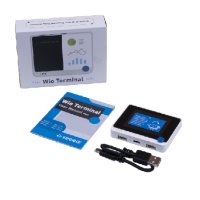
Wio Terminal Development Board
Wio Terminal is an ATSAMD51-based microcontroller with wireless connectivity supported by Realtek RT..
रo 3,818.37 रo 4,073.67
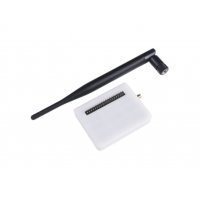
Wio Terminal LoRaWan Chassis with Antenna- built-in LoRa-E5 and GNSS, EU868/US915
Wio Terminal Chassis-Lora-E5 and GNSS is a plug-and-play LoRaWAN communication expansion board for t..
रo 3,835.80
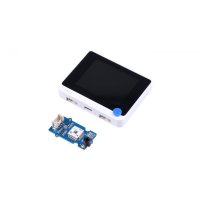
Wio Helium Monitor Kit
This WioHeliumMonitor is a plug-and-play LongFi hotspot monitor for the Helium network. It makes sur..
रo 7,553.67

Seeed Studio Tiny ML powered Artificial Nose Project kit with Wio Terminal - E21000010
Benjamin Cabé’s artificial nose project will help you learn very new tools that you can use to train..
रo 7,774.73
Tags: wio, terminal, battery, Development, Board